> For the complete documentation index, see [llms.txt](https://guide.flavibot.xyz/d/llms.txt). Markdown versions of documentation pages are available by appending `.md` to page URLs; this page is available as [Markdown](https://guide.flavibot.xyz/d/join-message.md).
# Join Message
## FlaviBot's join message
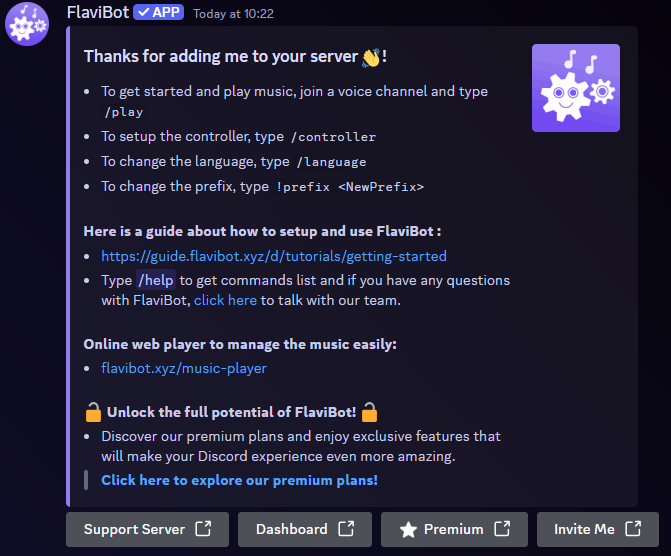
When adding the bot to your server you will see the following message in your welcome channel:
In this message you will have information on how to use/set up your bot.\
\
The first is the `/play` command. This command is used to play your music.\
\
The second feature you will see is the `/controller` command. You can have more information on the controller [here](/d/modules/music/controller.md).
The third feature you will be recommended will be setting the language of the bot. This will output any commands you use in the chosen language. Translated by the community, you can help the bot being translated by going to [this page](https://crowdin.com/project/flavibot).\
\
The fourth feature is setting the prefix of the bot. This will change the prefix for every command you use (Expect the / commands). The default prefix is set to `!`.
You will also be shared a link to your own server music panel. This panel allows you to view the music queue and view your FlaviBot playlists. The music panel allows you to not only view one bot it allows you to view all 5 bots.\
\
All of the options above are also shown in the buttons below the embedded message.