> For the complete documentation index, see [llms.txt](https://guide.flavibot.xyz/d/llms.txt). Markdown versions of documentation pages are available by appending `.md` to page URLs; this page is available as [Markdown](https://guide.flavibot.xyz/d/modules/music/web-player.md).
# Web Player
Here is information on the music panel
## **How to access the web player**
You can access the bot in many ways like using the command via the bot in your server. By using the following command:
Command to get the link to access the Web Player
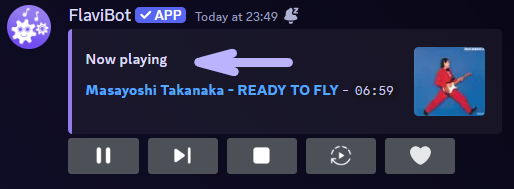
Another way to access the web player is via the current song playing on the controller or song announcement messages by clicking on the "Now playing" text.
Where to find the Web Player link on the controller message
Where to find the Web Player link on the song announcement message